How to deposit and withdraw on Futura Broker
Complete step-by-step guide to deposit via PIX and withdraw your profits on Futura Broker. Amounts, fees, and timeframes.
One of the first questions people have when they discover Futura Broker: how do I put money into my account? And, more importantly — how do I take it out? Both are fair questions. In this guide, you'll find the complete step-by-step process to deposit and withdraw, with exact amounts, fees, and timeframes. Full transparency, no fine print.
How to make a deposit
Depositing on Futura Broker is done via PIX — fast, free, and hassle-free. The whole process takes less than a minute.
1. Open the deposit screen
Click the "Deposit" button in the top corner of the platform. It's always visible, both on desktop and mobile.
2. Choose the amount
The minimum amount is R$ 60. You can use the quick amounts — R$ 70, R$ 150, R$ 300, R$ 400, R$ 700, R$ 1,700, R$ 6,700, and R$ 15,000 — or type any custom amount up to R$ 15,000.
3. Enter your CPF
The CPF is required to generate the PIX. The platform validates it automatically — if you type it incorrectly, it lets you know right away.
4. Confirm and generate the PIX
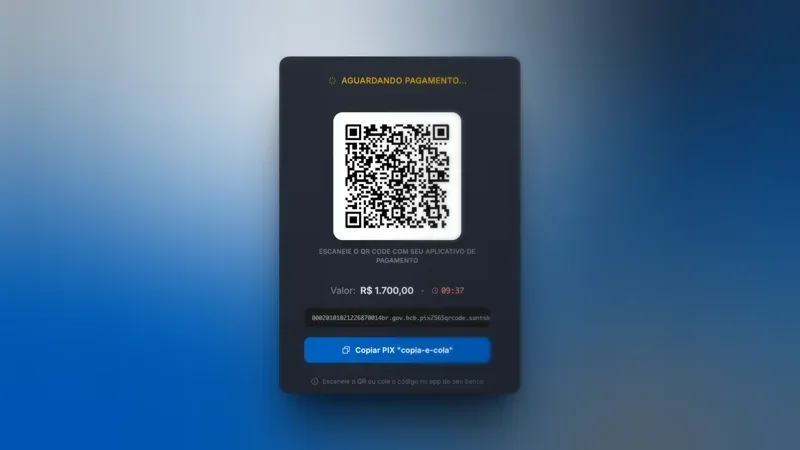
After confirming, the platform generates two options: a QR code and a copy-and-paste PIX code. Choose whichever you prefer.
5. Pay through your bank app
Open your bank app, scan the QR code, or paste the code into the PIX section. The payment is processed instantly by your bank.
6. Balance released
As soon as your bank confirms the payment, the amount appears in your account automatically. No waiting, no manual approval.
| Item | Detail |
|---|---|
| Method | PIX |
| Minimum amount | R$ 60 |
| Maximum amount | R$ 15,000 |
| Fee | Free |
| Time | Instant |
How to request a withdrawal
Withdrawing your profits is a straightforward process, but it involves security steps to protect your account. Let's go through each one.
1. Check the requirements
Before requesting a withdrawal, your account needs to meet these criteria:
- Verified email — to receive the confirmation codes
- Personal details completed — first name, last name, CPF, and date of birth
- Identity verification (KYC) approved — submission of a photo ID document
- A minimum of 25 real trades completed on the platform
Verification exists to protect you. It ensures that no one but you can withdraw from your account.
2. Open the withdrawal screen
Go to your wallet on the platform and click "Withdraw".
3. Enter the amount
The minimum withdrawal amount is R$ 120 and the maximum is R$ 5,000 per request. The 4.99% fee is calculated and displayed automatically on the screen — you see exactly how much you'll receive before confirming.
4. Confirm the details
Review the requested amount, the applied fee, and the destination PIX key (your CPF).
5. Enter the confirmation code
A 6-digit code is sent to the email registered to your account. It's valid for 10 minutes. This step ensures that only you can authorize the withdrawal.
6. Track the status
After confirmation, the withdrawal goes into review. The processing time is up to 72 business hours. You'll receive an email when the amount is approved and sent.
| Item | Detail |
|---|---|
| Method | PIX (CPF key) |
| Minimum amount | R$ 120 |
| Maximum amount | R$ 5,000 |
| Fee | 4.99% |
| Timeframe | Up to 72 business hours |
Fees and amounts: full summary
Here's a direct comparison between deposit and withdrawal:
| Deposit | Withdrawal | |
|---|---|---|
| Method | PIX | PIX (CPF) |
| Minimum | R$ 60 | R$ 120 |
| Maximum | R$ 15,000 | R$ 5,000 |
| Fee | Free | 4.99% |
| Timeframe | Instant | Up to 72 business hrs |
Practical example: if you request a withdrawal of R$ 1,000, the fee is R$ 49.90 and you receive R$ 950.10 in your bank account.
There are no hidden fees. The fee amount appears on the screen before you confirm. You always know exactly how much you'll receive.
Why verification is necessary
We know requirements can feel bureaucratic, but each one exists to protect you and your money:
- Verified email — ensures you receive confirmation codes and account security alerts
- Personal details — confirms the account is yours and allows correct identification on PIX
- KYC (identity) — prevents fraud and stops third parties from accessing your funds
- 25 real trades — the platform's standard requirement to enable withdrawals
These steps are common on any regulated financial platform. Once you complete them, your next withdrawals go straight through from step 2.
Frequently asked questions
Can I deposit with a credit card?
Right now, deposits are made exclusively via PIX. It's the fastest method and has no fee. We don't accept credit cards, boleto, or conventional bank transfers.
What happens if I enter the wrong deposit amount?
Each deposit is independent. You can make another one at any time. If you deposited less than you intended, just make a new deposit for the difference.
Can I cancel a withdrawal?
Yes, while the status is still "pending". When you cancel, the full amount — including the fee — returns to your account on the platform.
Why do I need 25 trades to withdraw?
It's a platform requirement to enable the withdrawal feature. Important: trades on the Practice Account don't count — they must be real trades, on the Real Account.
I have an active bonus and can't withdraw. Why?
Active bonuses block withdrawals until the rollover is completed. If you prefer, you can cancel the bonus — in that case, the bonus amount is removed from your balance and the withdrawal is released.
How long does a withdrawal take?
The timeframe is up to 72 business hours after confirmation with the email code. You'll receive an email notification when the amount is approved and processed.
Next step
Depositing is instant and free. Withdrawing is transparent and secure. With the information in this guide, you know exactly what to expect at every step — no surprises.
If you're just getting started, check out our guide on how to make your first trade. And if you want to understand the market better before trading, read about what binary options are and how they work.
Visit futurabroker.com and start with the practice account — when you're ready, depositing takes less than a minute.