How to make your first trade
Learn step by step how to make your first trade on Futura Broker using the practice account.
You created your account, opened the platform, and now you're staring at the screen with no idea where to start. Relax — everyone goes through this. This guide will take you from zero to your first trade in less than 5 minutes.
Before you start
When you open the platform for the first time, it already comes set to the Practice Account. That means the money is virtual — you don't risk anything while you learn. It's the best place to make mistakes, experiment, and understand how everything works.
When you feel confident, just switch to the Real Account in the account selector at the top of the screen. But take your time: the practice account is there for exactly this.
Step 1: Choose the asset
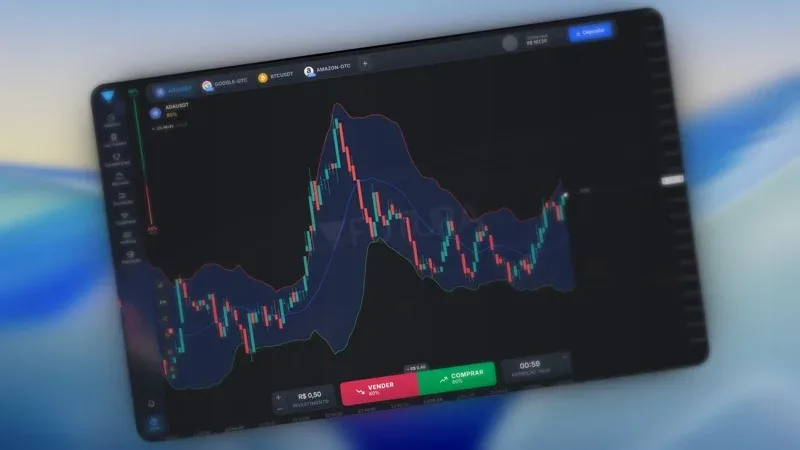
At the top of the platform, you'll see tabs with the open assets. To add a new one, click the "+" next to the tabs.
A panel opens with all the available categories:
- Crypto — Bitcoin, Ethereum, and other cryptocurrencies
- Currencies — Exchange pairs like EUR/USD, GBP/USD
- Stocks — Apple, Tesla, Google, and other companies
Click the asset you want to trade and it appears on the chart. You can have up to 4 assets open at the same time in the tabs.
Tip: start with popular assets like BTCUSDT or EURUSD. They have more liquidity, which means more predictable movements.
Step 2: Set the amount
In the platform's footer, you'll find the INVESTMENT field. Click it to choose how much you want to invest in this trade.
There are quick amounts to select from: R$ 0,50, R$ 5, R$ 10, R$ 50, R$ 100, R$ 200, R$ 500, and R$ 1.000. Or you can enter a custom amount.
Tip: start with the minimum — R$ 0,50. In the practice account the money is virtual, but building the habit of trading with small amounts will protect you when you move to the real account.
Step 3: Choose the expiration time
Next to the investment is the duration field. This is how long the trade will last before the result.
The options are: 1m, 5m, 10m, 15m, 30m, and 1h.
- 1 minute is too fast for beginners — any swing changes the outcome
- 5 minutes is ideal for beginners — it gives you time to watch the movement without waiting too long
- 15 to 30 minutes works well for those who want to analyze larger trends
Tip: start with 5 minutes. It's enough time to follow the chart without anxiety.
Step 4: Make your prediction
Now comes the main part. In the footer, you have two large buttons:
- BUY (green) — you believe the price will go up
- SELL (red) — you believe the price will go down
Each button shows a percentage — that's the payout, meaning how much you earn if you're right. For example: if the payout is 80% and you invested R$ 10, your profit will be R$ 8 (in addition to getting your R$ 10 back).
Look at the chart, analyze the price direction, and click the button. Done — your trade is open.
Step 5: Track the result
After clicking BUY or SELL, your trade appears right on the chart. You'll see:
- A marker showing the entry price
- A countdown with the time remaining until expiration
- The result in real time — whether you're winning or losing at that moment
When the time runs out:
- Got the direction right? You receive the invested amount + the payout profit
- Got the direction wrong? You lose the amount invested in that trade
The result appears on the screen automatically. No mystery.
Tips for your first trades
Before you start opening trade after trade, keep these tips in mind:
- Use the Practice Account until you feel confident. There's no prize for rushing to the real account.
- Start with small amounts. Even on the real account, R$ 0,50 to R$ 5 per trade is ideal at the start.
- Watch the chart for a few minutes before trading. See how the price is moving — is it going up, down, or sideways? That alone gives you an edge.
- Don't try to recover losses by doubling the amount. This is the most common mistake among beginners and it destroys entire accounts. Want to understand why? Read our article on the 5 mistakes every beginner trader makes.
- Log your trades. Time, asset, direction, result. After a week, you'll start to see patterns in your own behavior.
Next step
Now that you know how it works, it's time to practice. Open the platform, pick an asset, and make your first trades on the practice account. No pressure, no rush.
Go to futurabroker.com and start now.