Copy Trading on Futura Broker: How to Copy Traders
Learn how to use Copy Trading on Futura Broker to automatically copy the trades of experienced traders.
What if you could automatically copy the trades of profitable traders — in real time, without doing a thing? No analyzing charts, no picking assets, no deciding direction. The trader operates, and your account replicates.
That's Copy Trading. And on Futura Broker, it's native to the platform — no external app, robot, or group signal required. Everything happens inside the same interface where you already trade. One click connects your account to that of an experienced trader, and every trade they make is automatically replicated on yours.
In this article, you'll understand how Copy Trading works in practice, how to choose who to copy, how to set it up correctly, and how to manage risk. If this is your first time on the platform, start with what binary options are. If you already know the basics, keep reading here.
What Is Copy Trading
Copy Trading is a model where you connect your account to that of another trader — called the master trader — and every trade they open is automatically replicated on your account, with the amount and settings you defined.
It's not a robot. It's not a signal you have to interpret and execute manually. It's a direct copy: the master clicks BUY on BTCUSDT, and your account opens the same trade on the same asset, in the same direction, at the same instant. The difference is that the amount can be proportional to what you configured — more on that ahead.
Copy Trading vs. group signals
Group signals (Telegram, WhatsApp) depend on you seeing the message in time, interpreting it correctly, and executing it manually. With Copy Trading, everything is automatic and instant — no delay, no misinterpretation, no missed timing.
Copy Trading vs. robots
Robots follow pre-programmed algorithms. Copy Trading follows a real human who analyzes the market, makes decisions, and has a verifiable track record of results. You see the win rate, the profit, the volume — real data, not promises.
On Futura Broker, Copy Trading is integrated directly into the platform. There's nothing to install, no external APIs to connect, and no third-party services to trust. It works within the same environment where you normally trade.
How Copy Trading Works on Futura Broker
The full flow, from start to finish:
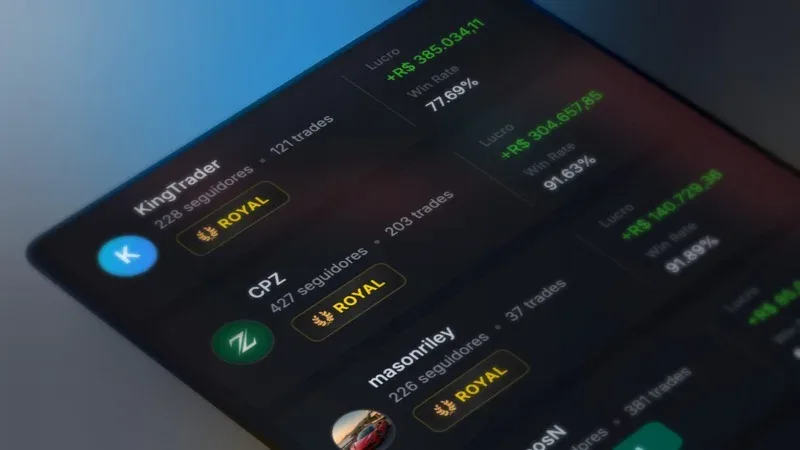
Explore the trader ranking — The platform has a Copytrade section where you see the top traders by period: today, week, month, or all time. Each profile shows win rate, profit, volume, and number of copiers.
Analyze the master — Before copying, you access the trader's full profile. Detailed statistics, trade history, verification badges, and VIP level. Real data, not advertising.
Send a request — You configure the copy parameters (proportion, limits, stop balance) and send the request. The master must approve before copying begins — this ensures both sides agree.
Automatic copying — After approval, every master trade is replicated on your account in real time. You see the copied trades on the chart with visual badges that identify "this trade came from Copy Trading."
Monitoring and control — At any time you can pause copying, adjust settings, or end it. The control is 100% yours.
Notifications arrive in real time: when a trade is copied, when the master opens or closes a position, when your request is approved. No delay.
Step by Step: How to Start Copying
1. Access the Copytrade section
On the platform, go to the Copytrade section. You'll see the ranking of top traders, filtered by period. Use the filters to switch between today, this week, this month, or all time.
2. Analyze the master's profile
Before copying any trader, analyze the data:
- Win rate — the percentage of winning trades. Above 55% is a good indicator.
- Total profit — how much the trader earned in the selected period.
- Volume — how many trades the trader made. High volume + high win rate = consistency.
- Number of copiers — how many people already copy this trader (social proof).
- Badges — account verification and VIP/Royal level indicate commitment to the platform.
3. Configure the copy parameters
Before sending the request, set:
- Copy proportion (10% to 200%) — the multiplier applied to the master's trade amount
- Stop Balance — the minimum account balance; once reached, copying stops automatically
- Minimum amount per trade — the floor for each copied trade
- Maximum amount per trade — the cap for each copied trade
Details on each setting in the next section.
4. Send the request
Click to request a copy. The master will receive the request and must approve it. While you wait, you can keep trading normally.
5. Follow along in real time
After approval, copied trades appear automatically on your chart with visual badges. You see exactly what was copied, when, and with what result. The full history remains available for review at any time.
Important Settings
Each setting directly impacts your risk and return. Understand each one:
| Setting | What it does | Example | Recommendation |
|---|---|---|---|
| Copy proportion | Multiplies the master's trade amount | Master trades R$ 20, you at 50% = R$ 10 | Beginners: 50-100% |
| Stop Balance | Stops copying when this balance is reached | Account with R$ 500, stop at R$ 400 | Set a safety floor |
| Minimum amount | Minimum per copied trade | R$ 1 per trade | R$ 1-5 (based on your bankroll) |
| Maximum amount | Cap per copied trade | R$ 50 maximum | Set at 3% of your bankroll |
Copy proportion — what each % means:
- 50% — the master trades R$ 20, you trade R$ 10. More conservative.
- 100% — same amount. If the master places R$ 20, you place R$ 20.
- 200% — the master trades R$ 20, you trade R$ 40. Aggressive — only if your bankroll can handle it.
The golden rule still applies: the amount copied per trade should not exceed 1-3% of your capital. If your account has R$ 500 and the master usually trades R$ 50, use a proportion of 30-60% to keep the amount within your management plan. The same rules from the bankroll management guide apply here.
Stop Balance — your safety net:
Set the minimum balance you're willing to accept. If the account reaches that value, copying stops automatically. This prevents a bad streak from the master from destroying your entire account. Think of the stop balance as a daily loss limit — but for copy trading.
How to Choose the Best Trader to Copy
Not every trader in the ranking is a good choice. Here are the criteria that separate reliable masters from illusory results:
1. Win rate above 55%
With a payout of ~84%, break-even is ~54%. A master with 55%+ is mathematically profitable. Below that, even if you copy perfectly, you lose money.
2. Consistent history — not just one good day
A trader with a 90% win rate today but 48% for the month is inconsistent. Use the week or month filter to see real performance. Anyone can have one good day. Consistency over weeks is what matters.
3. Trade volume
An 80% win rate over 5 trades means nothing. The same 80% over 200 trades is statistically significant. Prefer traders with high volume — more data = more confidence in the result.
4. Number of copiers
If other traders are already copying, that's a positive sign. It's not a guarantee, but it's social proof. A master with 20+ active copiers probably has a verified track record.
5. Analysis period
Don't just look at "today." Filter by week and month. Compare the numbers. A trader who's top 5 for the entire month is far more reliable than the leader of the day.
Summary: high win rate + high volume + consistency over weeks + active copiers = a good choice.
I Want to Be a Master Trader
Copy Trading has two sides. If you already have consistent results and want others to copy your trades, you can register as a master trader.
How to become a master
- Request registration — In the Copy Trading section, there's an option to register as a master trader.
- Approval — The platform reviews your request. It's not automatic — this ensures the quality of available masters.
- Set your limits — After approval, configure copy limits (minimum and maximum amounts that copiers can use).
Managing copiers
As a master, you have full control:
- Approve or reject requests — Each copier needs your approval. You decide who can copy your trades.
- Remove copiers — If necessary, you can disconnect copiers at any time.
- Statistics dashboard — See your total active copiers, copied volume, and the statistics for your master profile.
Benefits of being a master
- Visibility — Your profile appears in the Copytrade section ranking, showcasing your skills to the whole platform.
- Reputation — The more active copiers and the better your performance, the more prominence you receive.
- Proof of competence — Verifiable, public results. It's not "I make money trading" — these are real numbers anyone can check.
Being a master is a responsibility. Your trades affect other people. Operate as if every trade were being watched — because it is.
Risk Management in Copy Trading
Copy Trading is not guaranteed profit. You're copying a human who also makes mistakes. The difference is that now their mistakes are your mistakes too. Managing risk is just as important here as trading on your own.
1. Diversify masters
Don't put all your capital into copying a single trader. If possible, split it among 2-3 masters with different profiles. If one has a bad day, the others can offset it. It's the same diversification logic as any investment.
2. Use Stop Balance as protection
Set the stop balance with a comfortable margin. If your account has R$ 500, a stop at R$ 400 limits the maximum loss to R$ 100 (20%). It's aggressive, but defined. Without a stop balance there's no floor — and in a bad streak from the master, the account can suffer more than you're willing to accept.
3. Start with a low proportion
In the first few days, use a proportion of 30-50%. Observe how the master trades, what the typical volume is, how many trades per day. After a week of following along, adjust the proportion as your confidence and bankroll allow.
4. Monitor weekly
This is not "set it and forget it." Every week, review the results. Is the master still profitable? Is the win rate holding up? If results worsen for 2+ weeks, consider pausing and reassessing.
5. Pause when necessary
If the master enters a losing streak — 5+ consecutive losses — pause copying. Wait for them to recover before reactivating. You have the pause button for a reason: use it.
The rules from bankroll management apply fully to Copy Trading. The amount copied is the amount at risk. Treat it like any other trade.
Copy Trading vs. Trading on Your Own
A direct comparison to help you decide what makes sense for your stage:
| Aspect | Copy Trading | Trading on your own |
|---|---|---|
| Knowledge required | Low — choose the master well | High — technical analysis, indicators, practice |
| Time invested | Minimal — set up and monitor | High — analyze charts, wait for signals |
| Control over trades | Partial — you set limits, not entries | Total — every decision is yours |
| Learning | Observe what masters do | Your own experience, trial and error |
| Risk | Depends on the chosen master | Depends on your discipline |
| Speed to start | Fast — works from day one | Slow — requires study and practice |
| Scalability | Copy more masters or raise the proportion | Limited by your time and energy |
When to use Copy Trading:
- You're a beginner and still learning to read charts
- You have little time available to trade actively
- You want to diversify with strategies from different traders
- You want to trade while learning — copy AND study at the same time
When to trade on your own:
- You already have a tested, profitable strategy
- You want full control over every trade
- You prefer to learn by doing, making your own mistakes
The ideal combination: many traders do both. They copy 1-2 masters with part of their bankroll while actively trading with the other part. While Copy Trading runs in the background, they practice reading candles, test strategies, and improve. When they feel ready, they reduce the copy proportion and increase their own trades.
Meta Copy: Goals with a Deadline
Futura Broker offers the Meta Copy system — a feature that adds goals to Copy Trading. Here's how it works: you set a result goal with a 30-day deadline. The system tracks the progress and shows how much is left to reach the objective.
It's an extra layer of organization. Instead of copying indefinitely, you have a clear target and a defined deadline. If the master isn't delivering the expected results within the period, it's an objective signal to reassess.
The 7 Golden Rules of Copy Trading
- Analyze before copying. Win rate, volume, monthly consistency — don't copy the top of the ranking without checking.
- Set the proportion based on your bankroll. The amount per copied trade should not exceed 3% of your capital.
- Use the Stop Balance. Without a safety floor, there's no loss limit.
- Diversify masters. Don't depend on a single trader for all your results.
- Monitor weekly. Copy Trading is not "set it and forget it."
- Start conservative. A proportion of 50% in the first few weeks. Increase after confirming results.
- Copy Trading is a tool, not magic. No master is right 100% of the time. Losses are part of it — what matters is the net result over time.
Copy Trading is the fastest way to start trading with the experience of traders who have already been through the learning curve. It doesn't replace knowledge — but it accelerates the process while you develop your own. Use it as a learning tool: observe what masters do, on which assets, at which times. Over time, you'll notice patterns you can apply to your own trades.
If you're just starting out, combine Copy Trading with study: reading candles, support and resistance, and bankroll management. If you already trade and want to diversify, try copying masters with styles different from your own.
Go to futurabroker.com, head to the Copytrade section, and get started — on the practice account, with no risk.